Podcast statistics that show you what’s working
Track your growth, compare episodes, and learn about your listeners.


Learn from every episode
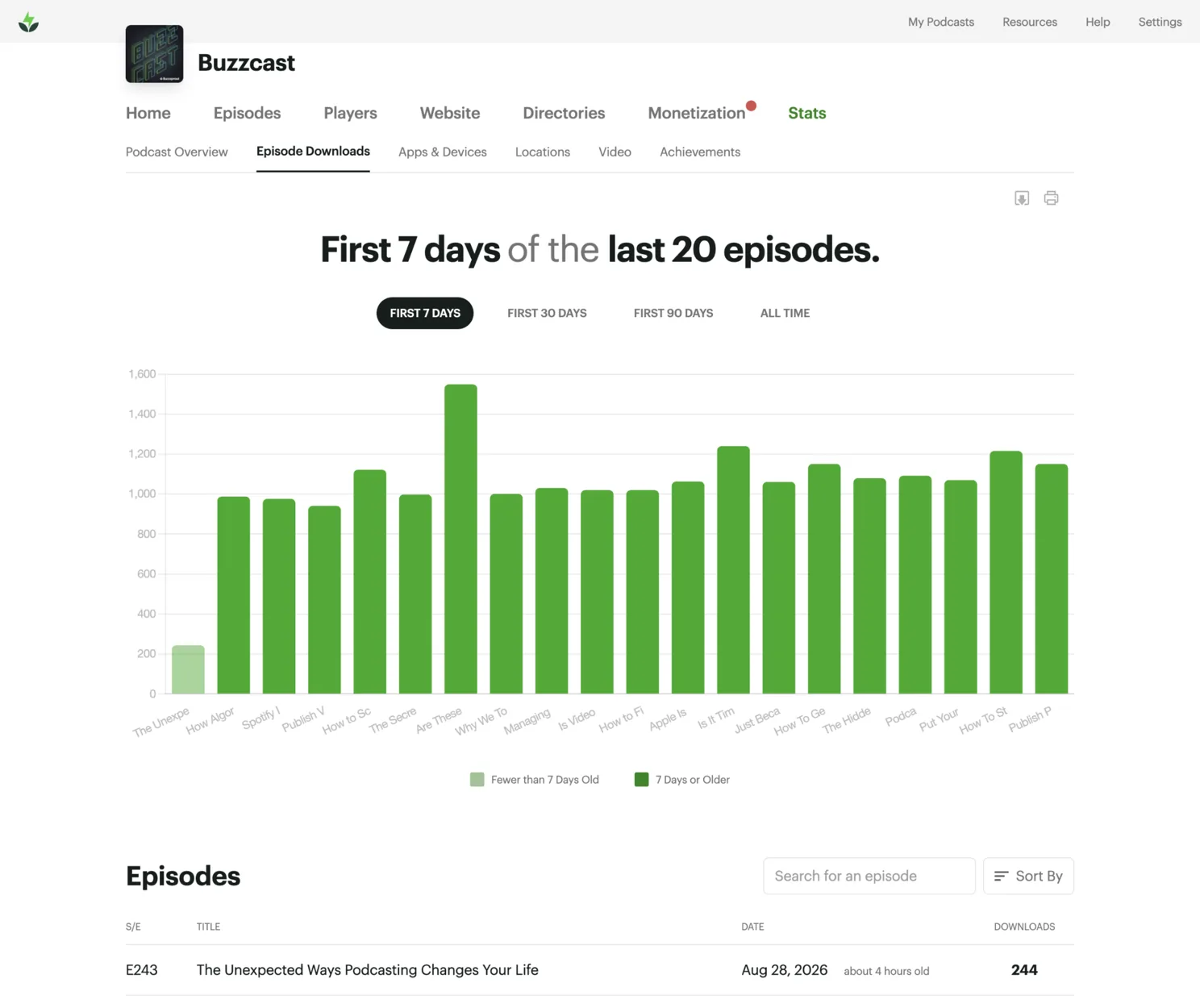
Spot trends in your downloads
See downloads by day, week, or a custom date-range, so you can connect changes to the episodes you published.
9,478 downloads in the last 30 days.
Find your strongest episodes
Top Episodes(All Time)
Compare downloads, video performance, and listening apps for every episode so you can see which releases stand out.
See how recent episodes perform
Video Episode Pacing
Compare your latest episode with recent releases at the same point after publishing, so you can see whether it’s ahead, behind, or right on pace.
See where your listeners are
Explore downloads by country, territory, and city to understand where your audience is strongest and how your reach changes over time.
Countries / Territories(76 Total)
I highly recommend hosting your podcast with Buzzsprout for its ease of use and the comprehensive analytics provided for every episode.
 Toni Kennedy
What’s Poppin’ Penny?
Toni Kennedy
What’s Poppin’ Penny?
All your podcast statistics in one place
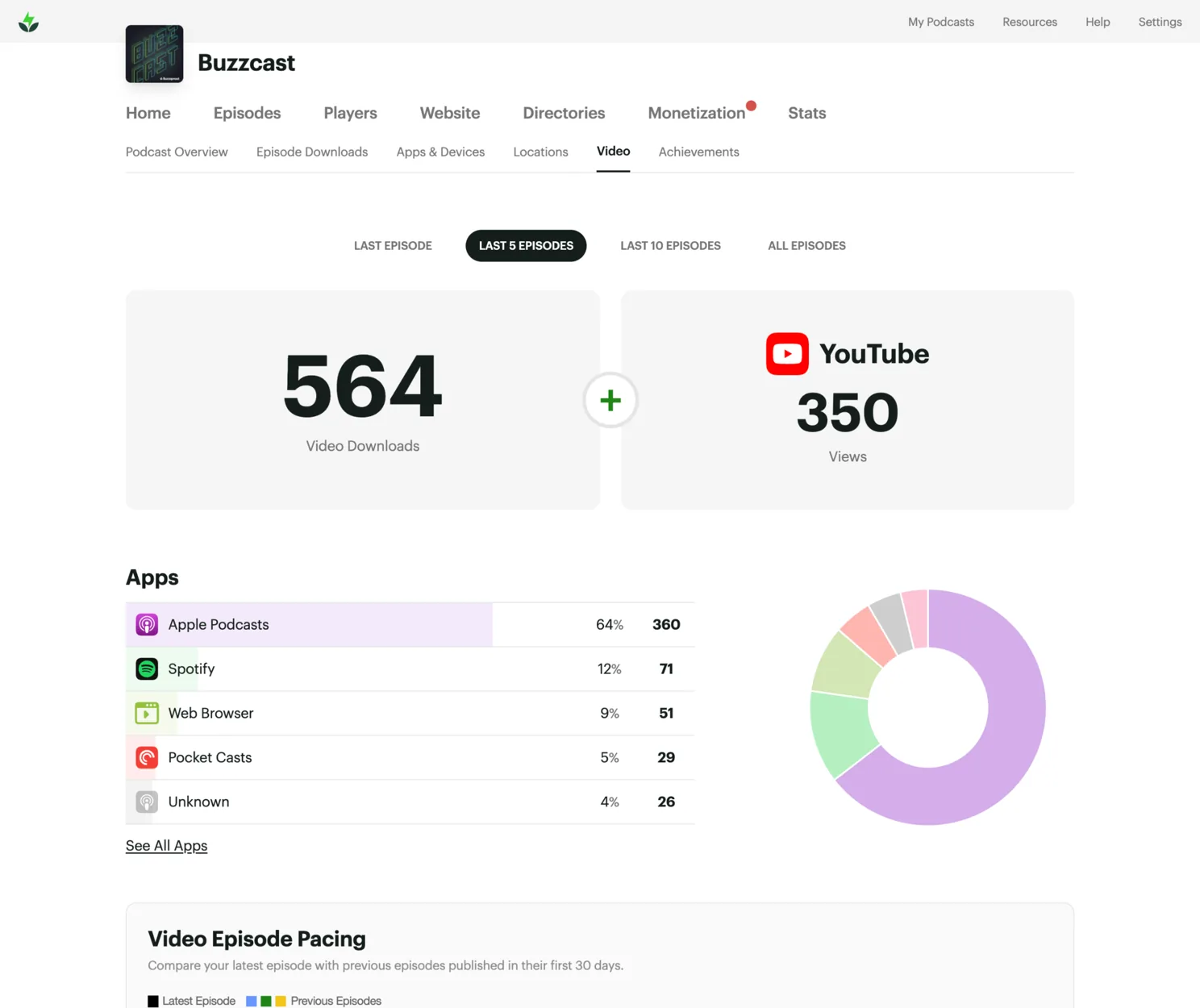
Audio and video, together
See audio and video performance in the same dashboard. Buzzsprout reports each format separately, so every number stays clear.
Audio vs. Video(Latest Episode)
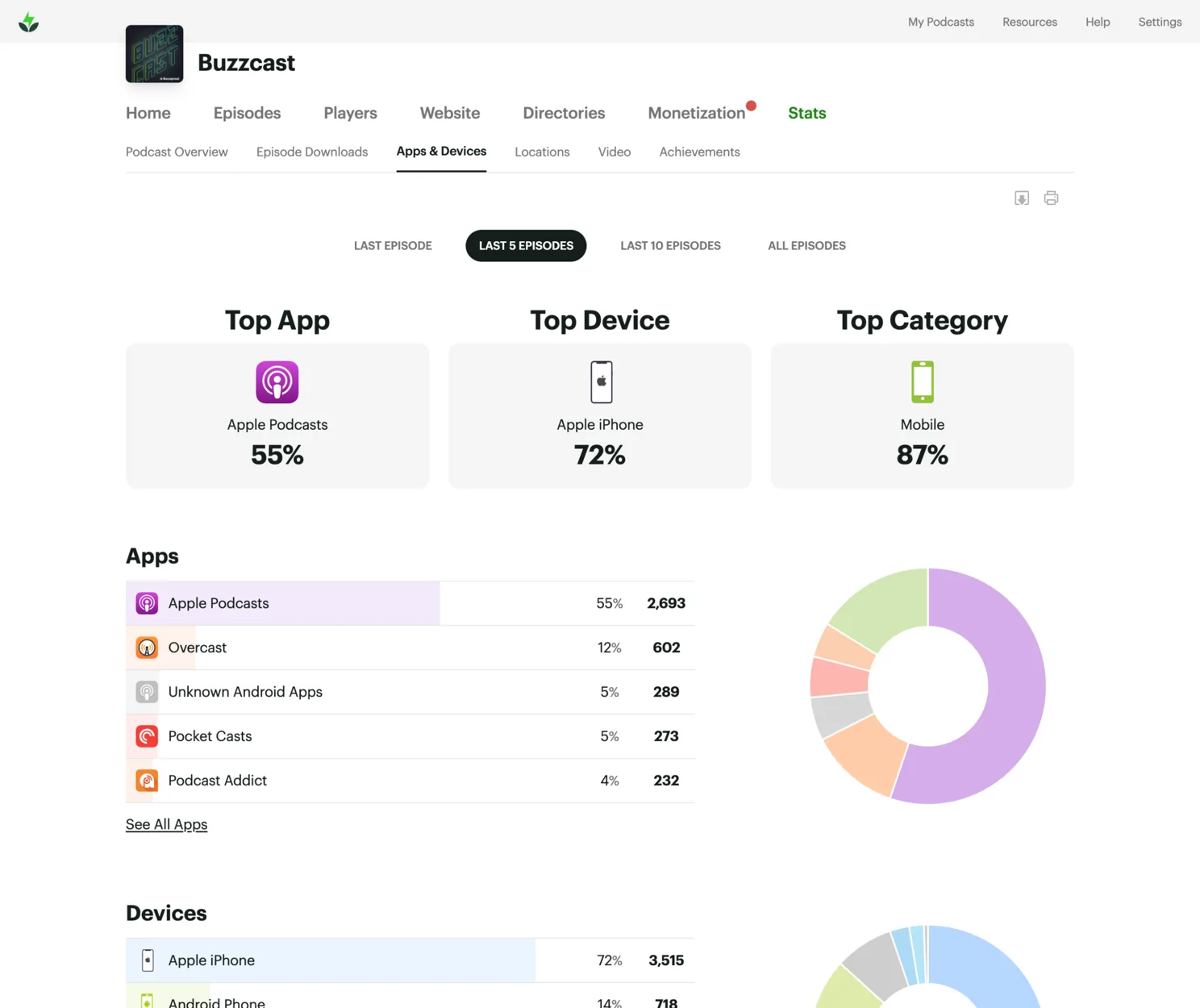
See how people listen
Find the apps and devices your audience uses, from Apple Podcasts and Spotify to web players, phones, computers, and more.
Top Apps(Last 5 Episodes)
Check your stats anywhere
Check the same statistics on the web or in the Buzzsprout mobile app. Publish at your desk, then watch the downloads come in from your phone.


Podcast statistics you can trust
IAB 2.2 certified
Buzzsprout is certified to the IAB Tech Lab’s highest standard.
Invalid activity filtered
Bot downloads are removed before your numbers are reported.
Numbers sponsors recognize
Share industry-standard numbers with sponsors and advertisers.
Frequently asked questions
1. What podcast statistics does Buzzsprout provide?
Buzzsprout gives you easy-to-understand statistics for total downloads, episode performance, listening apps and devices, and listener locations.
2. Does Buzzsprout combine statistics from Apple Podcasts, Spotify, and other podcast apps?
Yes! When someone listens through Apple Podcasts, Spotify, a web player, or another podcast app those stats show up in Buzzsprout. This gives you one place to see where people are listening and which episodes are performing best.
3. What counts as a podcast download in Buzzsprout?
Buzzsprout counts a download when someone streams or downloads at least 60 seconds of an episode. It counts whether they listen immediately or save the episode to their device for later.
4. How accurate are Buzzsprout’s podcast statistics?
Buzzsprout statistics are IAB 2.2 certified, which means they follow the podcast industry’s standards for measuring downloads, impressions, and listeners. We filter duplicate requests, bots, and other invalid activity so you can feel confident using your numbers to track growth or talk with sponsors.
5. Can I see where and how people listen to my podcast?
Yes! Buzzsprout shows which apps and devices people use, along with general listener locations by country and city. You get helpful audience insights while we collect only the data needed to produce anonymized statistics. We don’t identify listeners, build personal profiles, or use creepy tracking.
6. How does Buzzsprout help me track podcast growth?
Buzzsprout makes it easy to spot download trends and compare new episodes with your recent releases. The Episode Pacing Chart helps you see what’s gaining traction so you can learn what’s working and use those insights to improve your podcast.
7. Can I compare my podcast with other podcasts?
Yes. Buzzsprout publishes updated monthly benchmarks showing the first-seven-day downloads needed to reach the top 50%, 25%, 10%, 5%, and 1% of active Buzzsprout podcasts. You can explore the latest benchmarks on our podcast stats page.
8. Can Buzzsprout show listening duration, retention, or followers?
Buzzsprout brings together downloads from across the podcast ecosystem, but only the individual listening apps can see what happens after someone presses play. Apple Podcasts Connect, Spotify for Creators, and YouTube Studio provide platform-specific information such as listening duration, retention, followers, and other engagement metrics.
9. Are YouTube and video podcast statistics included?
Yes! On a Buzzsprout video plan, your video downloads and YouTube views are available under your Video statistics. YouTube views are displayed separately because YouTube views and podcast downloads are different measurements.
10. Can I import or export my podcast statistics?
Yes. If you move your podcast to Buzzsprout, you can bring over your download totals for each episode so you don’t lose your historical numbers. You can also export your Buzzsprout statistics whenever you need them for reporting or deeper analysis.