Video
Publish video episodes to Apple Podcasts, Spotify, and YouTube.
Submit your podcast to Apple Podcasts, Spotify, YouTube, and other podcast directories. Then upload each episode once and Buzzsprout handles the rest.
Buzzsprout gets your podcast onto the biggest platforms and the independent apps listeners already use.
We send video to Apple Podcasts, Spotify, and YouTube, audio to every podcast app, and keep your podcast website and embed players up to date.
Publish video episodes to Apple Podcasts, Spotify, and YouTube.
Your RSS feed delivers the audio version to every podcast app automatically.
Every podcast gets an SEO optimized website with a page for each episode.
Add your podcast to any website with a player that updates automatically.
Setup was a doddle and we quickly got registered with all major podcast platforms: Apple, Google, Amazon, Spotify, etc. Would highly recommend it to anyone starting out.
 Paul
WHO Corner to Corner
Paul
WHO Corner to Corner
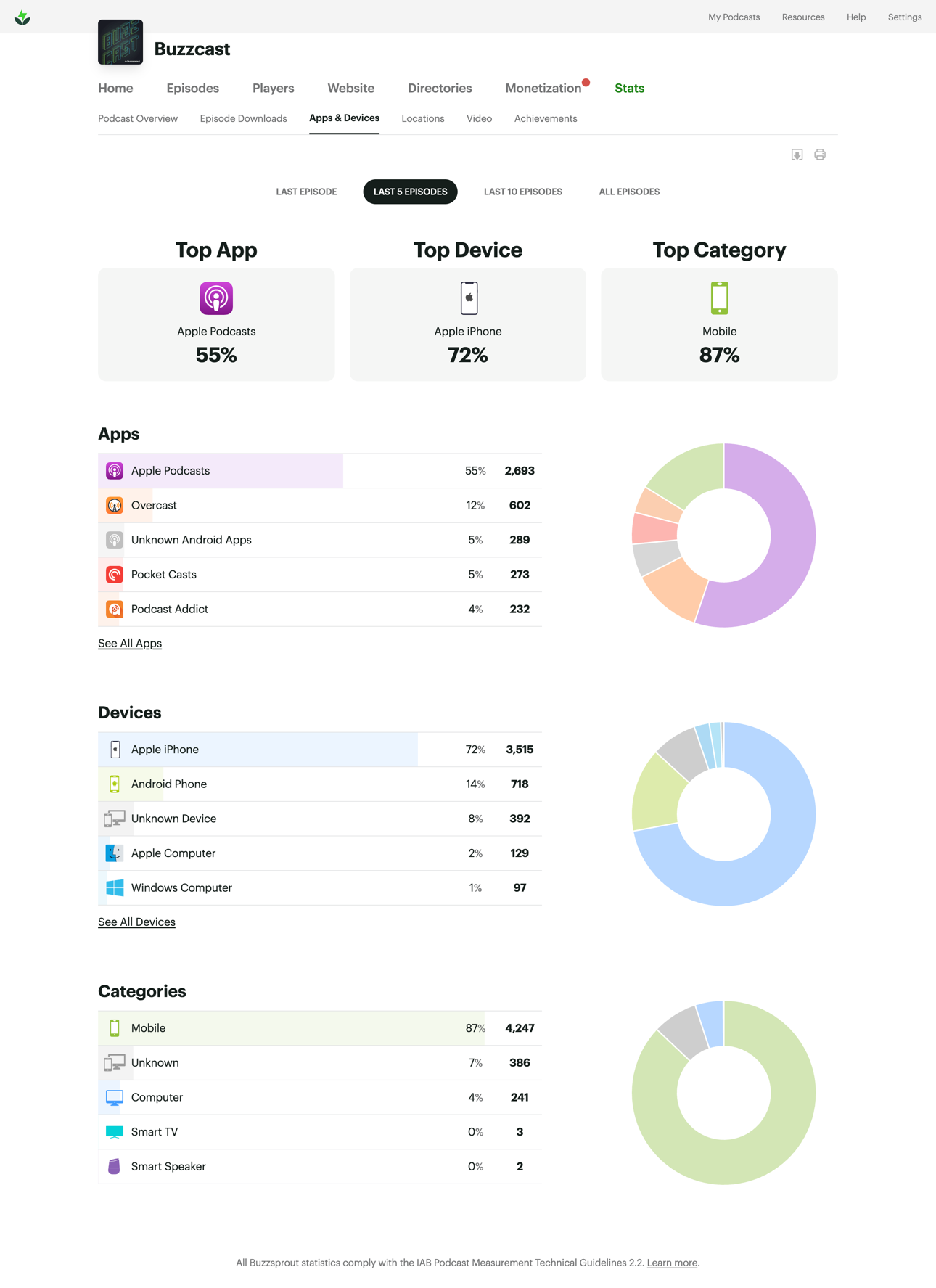
Buzzsprout brings your podcast stats into one clear dashboard, so you can see which apps your audience uses, how they listen, and where your podcast is growing.
Join over 115,000 active podcasters who trust Buzzsprout with their show.
Get Started FreeUpload your episode to Buzzsprout, and we’ll update your podcast’s RSS feed. Once your show is connected to podcast directories, they use that feed to automatically retrieve your new episodes.
Upload each episode to Buzzsprout once. After the initial directory setup, your new episodes are automatically delivered to each podcast directory.
Buzzsprout’s Get Listed Everywhere option can submit your show to 16 audio directories with one click. Once approved, future episodes distribute automatically.
Video destinations require a few additional steps, which you can follow on the Video Podcasting page.
Your RSS feed is the address podcast apps use to find your show and episodes. Buzzsprout creates, formats, and updates it for you, so you don’t need to manage any code.
No. You submit your podcast to each directory once. After approval, every episode you publish in Buzzsprout is added automatically.
Buzzsprout helps you reach major listening destinations such as Apple Podcasts, Spotify, YouTube, Amazon Music, Audible, iHeartRadio, and many other podcast apps.
Most new podcasts are approved within 48 hours, although some directories can take up to a week.
After approval, new episodes usually appear within a few hours but can take up to 24 hours.
Yes. Publish a short trailer, use it to submit your show, and schedule your full episodes for launch. We recommend starting the submission process about a week early.
Yes. With a Buzzsprout video plan, you can publish video episodes to Apple Podcasts, Spotify, and YouTube while continuing to distribute audio everywhere else.
Yes. Once you enable and receive approval for video on each platform, one video uploaded to Buzzsprout can be published to all three destinations.
Yes, if you want your show on Apple Podcasts, Spotify, and other podcast apps. A YouTube channel does not provide the podcast RSS feed those directories need.
Yes. Buzzsprout imports your existing episodes, and a redirect from your old RSS feed points your current listings and subscribers to the new Buzzsprout feed.